
These Photos Look Completely Normal Until You Notice One Small Detail
You’ve seen the kind of image that feels ordinary, yet something nags at you. Maybe it came from a friend, a post, or a news screenshot. You want to know if that “small detail” is a real clue or just your brain overthinking it. This article helps you check without guesswork.
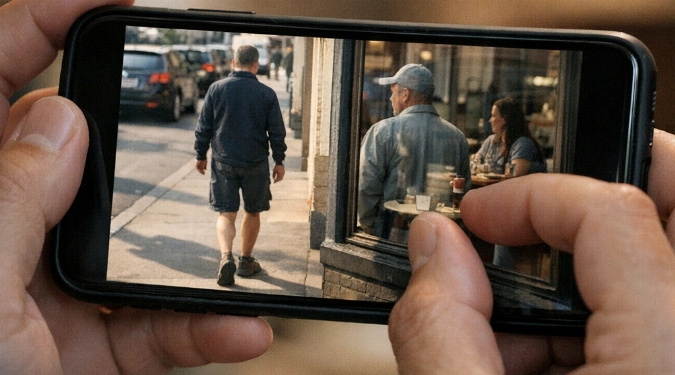
You’ll learn a repeatable way to spot the “one small detail” fast. This guide gives a scan order, plus five classic tells of manipulation. You’ll also get quick checks for reflections, shadows, and scale. Use it to judge photos before you share them.
Start With A 10-Second Scan Order
Don’t hunt randomly. Use a fixed loop so your eyes catch mismatches.
- Edges first: hair, fingers, glasses, bag straps, fences.
- Light next: shadows, catchlights in eyes, and highlight direction.
- Geometry: door frames, horizons, tiles, and repeated patterns.
- Text and logos: signs, shirts, license plates, and labels.
- Context last: what should be present but isn’t.
Run the loop twice. Your second pass is where the “normal” feeling breaks.
Five Small Details That Betray A Fake
1) Shadows That Disagree
Check if every shadow points the same way. Compare the nose shadow to a chair leg shadow. Look for missing contact shadows under shoes or objects. Fake cutouts often float.
2) Reflections That Don’t Match
Mirrors and windows keep receipts. A person may appear, but their reflection is shifted. Watch for wrong shoulder height in a mirror. Also check glossy tables and car paint.
3) Repeated Textures
Clone tools copy pixels. You’ll see the same leaf twice. You’ll see identical clouds in two spots. Brick walls can show repeating mortar cracks. Zoom in and sweep sideways.
4) Warped Straight Lines
Body edits bend backgrounds. Look at door frames behind a waist. Check railings near an arm. Tile grout lines are great detectors. They should stay straight and evenly spaced.
5) Impossible Scale
Scale errors feel “off” but subtle. Compare hand size to a cup handle. Compare eye spacing to eyeglass frames. In composites, heads often sit slightly too large.
Quick Zoom Checks That Catch Most Mistakes
You do not need special software. You need a few targeted zoom spots.
- Hairlines and fur. Look for crunchy halos and smeared strands.
- Fingertips and nails. Look for melted skin texture and extra joints.
- Teeth. Look for uniform blocks and repeated highlights.
- Ears and earrings. Look for asymmetry that breaks anatomy.
- Glass rims. Look for missing distortion through lenses.
On phones, pinch-zoom until pores would be visible in a real shot. If skin turns into plastic, be skeptical.
Use Metadata And Reverse Search When The Stakes Matter
Visual tells are fast, but verification is stronger. If a photo could cause harm, do more than eyeballing.
- Check basic EXIF with built-in file info or an EXIF viewer. Missing data is common, but odd dates can matter.
- Run a reverse image search with Google Images and TinEye.
- Try a second engine like Bing Visual Search for different matches.
If you find an older version, compare crops and colors. Edits often hide in a tighter frame.
Common “Normal” Scenes With Hidden Traps
Some scenes are perfect for subtle fakes. Train your attention where editors slip.
- Group photos. Count fingers, check overlapping arms, and look for mismatched focus.
- Travel shots. Inspect sign text, building windows, and repeating crowd faces.
- Food photos. Watch steam direction, utensil reflections, and plate rim ellipses.
- Pets. Fur edges show cutouts, and eyes often have wrong catchlights.
- Night scenes. Noise patterns should look consistent across the frame.
What To Do Before You Share A Questionable Photo
Use a simple decision rule. If you can’t explain the detail, don’t amplify it.
- Save it and view it on a second screen if possible.
- Do the scan order loop and note two concrete red flags.
- Reverse search it and check if it appeared earlier elsewhere.
- Add context if you share, or label it as unverified.
FAQs
Are AI photos always easy to spot?
No. Many are clean at a glance. Errors show up under zoom and consistency checks. Treat “looks real” as a starting point, not proof.
Why does text look weird so often?
Generated images tend to approximate letter shapes. You may see near-letters and broken spacing. Real photos usually have crisp type or predictable blur.
Can heavy compression create false red flags?
Yes. Messaging apps can add halos and smear details. That is why you should look for multiple independent tells, not one artifact.
What is one detail that is almost always reliable?
Light direction across several objects is hard to fake consistently. Check shadows, highlights, and eye catchlights together. One mismatch can be a strong clue.
Disclaimer: The information provided in this article is for educational and informational purposes only. It does not constitute professional advice. Readers should conduct their own research and consult with qualified professionals before making any decisions.