Smart Reasons More People Are Choosing Mini Projectors
You want a bigger screen without a permanent TV setup, but the mini projector market is noisy. Specs get exaggerated, app support is hit or miss, and “1080p” labels can be misleading. If you’re choosing one for a bedroom, travel, or backyard viewing, this is for you.
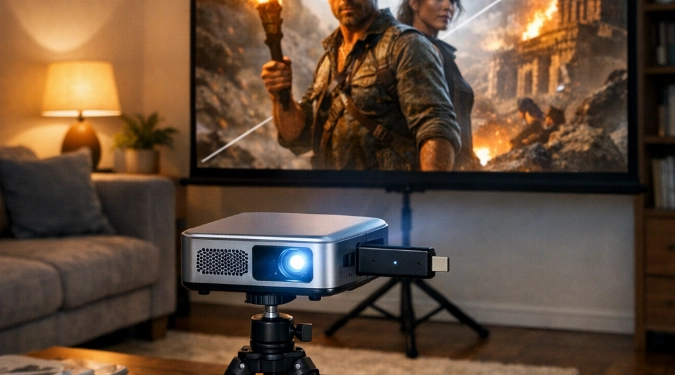
You’ll learn which mini projector specs matter, and which are marketing fluff. You’ll get a quick buying checklist, plus a setup plan for clear sound and sharp focus. This guide also shows where mini projectors win over TVs, and where they still disappoint.
Why The Shift Is Happening
People want big screens without dedicating a room to one. A mini projector can live in a drawer, then turn any blank wall into a screen. It also fits modern viewing habits. Most viewing now starts on a phone, tablet, or streaming stick.
Price is a driver, too. Solid entry models sit around $70 to $150. Brighter, sharper units with better optics often run $250 to $600. Premium compact models can reach $900 to $1,500.
What To Check Before You Buy
Brightness That Matches Your Room
Ignore vague “super bright” claims. Look for ANSI lumens, not “lux” or inflated “LED lumens.” For a dim room, 200 to 400 ANSI lumens can work. For a living room with lamps, aim for 500 to 1,000 ANSI lumens.
Real Resolution, Not Just Input
Many models accept 1080p input but display 720p or less. Look for “native 1080p” if you care about text and subtitles. “4K support” usually means it can play 4K files. It does not mean it projects 4K pixels.
Focus And Keystone Limits
Auto keystone is helpful, but it can soften edges. Manual focus is fine, but test how often you’ll move it. If you project from a bedside table, you will refocus a lot.
Where Mini Projectors Beat A TV
Screen size flexibility is the headline. You can go 60 inches for casual viewing. You can push 100 to 120 inches for movie night.
They also make sense for temporary spaces. Think dorms, rentals, and guest rooms. You can pack one for trips, then use it in a hotel without fighting tiny screens.
For shoppers comparing Portable Projectors, weight matters. Under 2.5 pounds is easy to move. Under 1.5 pounds is “toss in a backpack” territory.
Where They Still Fall Short
Brightness is the biggest limitation. Even good units look washed out in direct daylight. Fan noise is another reality. Quiet models exist, but many are audible in silent scenes.
Audio is often weak. Tiny speakers cannot fill a room. Plan on external sound for anything beyond casual clips.
If you expect true Home Theater Devices performance, check input lag. Some projectors feel sluggish for gaming. Look for a dedicated game mode, plus reviews with measured lag.
Streaming And Casting That Actually Works
Built-in apps can be slow or outdated. Many buyers get better results with a separate streamer. A Roku Streaming Stick, Amazon Fire TV Stick, Apple TV, or Chromecast usually feels faster.
For Wireless Screen Casting, verify the protocol. Some support AirPlay, others use Miracast, and some rely on an app. App-based casting can break after phone updates. A HDMI streaming stick avoids that problem.
For Streaming Capable Projectors, also check DRM support. Some budget models cannot play protected streams in full quality. Users see black screens or low resolution in certain apps.
Simple Setup That Looks Better Fast
- Pick the screen first: A $20 matte white sheet can work. A $60 to $200 portable screen looks cleaner and boosts perceived contrast.
- Control light: Close blinds and kill overhead lights. Add a small lamp behind the seating to reduce eye strain.
- Mount smart: A $25 tabletop tripod helps with height. A shelf mount reduces bumps and refocusing.
- Fix the sound: Use Bluetooth only if delay is acceptable. A 3.5mm or HDMI audio extractor is often tighter.
Six Brands Worth Knowing
Look at Anker Nebula for polished software and portability. Epson and BenQ are strong for optics and reliability. XGIMI often balances brightness and features. ViewSonic has compact options with good color. LG makes premium small units with slick interfaces.
Use Cases Mini Models Fit Best
Compact Media Projectors shine for bedroom viewing and small apartments. HD Mini Displays are great for subtitles and sports replays. For Outdoor Cinema Tools, prioritize brightness and a battery plan. Mobile Projection Systems work best with a fixed “go bag” that includes cables and a stand.
For USB Projectors, confirm file support before relying on a thumb drive. Some only handle certain codecs. A streamer is still the simplest playback method.
FAQs That Save You Time
Do I Need A Special Screen Paint?
Not usually. A smooth, matte white wall works if it is clean and flat. Screen paint can help in tricky rooms. It is most useful when you cannot use a pull-down screen.
How Big Can I Go Without It Looking Soft?
With native 1080p, 100 inches often looks crisp from a couch distance. With 720p, keep it closer to 70 to 90 inches. Sitting farther back can hide softness.
What’s The Easiest Power Plan For Backyard Use?
A long outdoor-rated extension cord is simplest. For battery, check watt draw on the label. Match it to a power station’s AC output rating. Also bring a backup HDMI cable and a second streamer remote.
References
- Epson
- BenQ
- Anker Nebula
- XGIMI
- ViewSonic
- LG
Disclaimer: The information provided in this article is for educational and informational purposes only. It does not constitute professional advice. Readers should conduct their own research and consult with qualified professionals before making any decisions.