Smart Home Systems: Small Changes, Easier Daily Routines
Smart home gear sounds simple until you hit Wi‑Fi dropouts, too many apps, and automations that misfire. Maybe you want lights that follow your routine, a lock that behaves predictably, or fewer “did I leave it on?” moments. This guide is for anyone who wants a system that stays reliable.
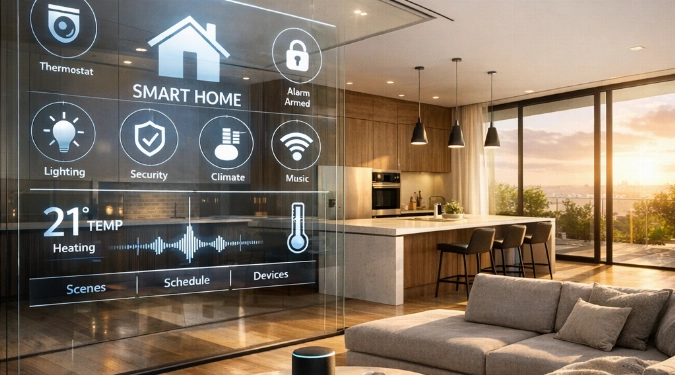
Pick the right devices, then connect them in the right order. This guide shows simple routines you can set up in one weekend. You will leave with a shopping list, setup steps, and automation rules that reduce daily friction.
Start With One Hub And One Goal
A smart home works best when you avoid mixing too many apps early. Pick one “center” and one routine to improve. Good first goals are a calmer morning, fewer lights left on, or better package awareness.
Choose a main platform you can live with for years. Common options are Apple Home, Google Home, Amazon Alexa, and Samsung SmartThings. For a local-first approach, look at Home Assistant. For advanced installers, Control4 is another path.
Write your first goal as a rule. Example: “At 10:30 pm, lock doors, turn off downstairs lights, and set the thermostat to Sleep.”
Build Your Starter Kit In A Smart Order
Buy devices in an order that prevents redo work. Start with network basics, then core controls, then sensors. That order avoids chasing dropouts and odd automations.
1) Network And Power
Most complaints are Wi‑Fi problems, not device problems. If you can, add a mesh system like eero, Google Nest Wifi, or TP-Link Deco. Put your hub near the router and away from metal panels.
Add a small UPS battery for your router and hub. Expect about $80 to $200 depending on runtime and outlets.
2) Lighting You Actually Use
For whole rooms, smart switches beat smart bulbs. Switches keep wall controls intuitive for guests. Look at Lutron Caséta, Leviton Decora Smart, or TP-Link Kasa switches.
For lamps and accent lights, bulbs are great. Philips Hue and Nanoleaf are common picks for scenes and color.
3) Locks And Entry
Smart locks help most when paired with a routine. Popular options include Schlage Encode, Yale Assure, and Kwikset Halo. Add a door sensor so you can get “door left open” alerts.
Use Sensors To Trigger Routines, Not Just Alerts
Alerts are noisy if they do not lead to action. Sensors shine when they trigger small, reliable changes. That is the heart of smart sensors for homes.
Start with motion, contact, and temperature sensors. Aqara, Eve, and Zooz make strong options. Put motion sensors where behavior is consistent, like hallways and laundry rooms.
Try three high-impact triggers:
- Motion in hallway after sunset turns on lights at 20% for five minutes.
- Front door opens, then entry light turns on and thermostat pauses for ten minutes.
- Laundry vibration sensor ends, then a speaker announces “Laundry is done.”
Make Automations Boring And Reliable
The best automations are the ones you forget exist. Use clear names, tight conditions, and safe fallbacks. Avoid stacking ten actions in your first week.
Use “if” filters to reduce false triggers. Add time windows, lux thresholds, and presence checks. Example: run a routine only when someone is home and it is dark.
For automated home control systems, keep a manual override. A wall switch should still work. A voice command should still work. Reliability beats cleverness.
What Setup Usually Costs For A Practical First Phase
You can build a useful system without turning your home into a lab. Typical first-phase spend lands in a narrow band if you stay focused.
- Hub or platform bridge: $0 to $130.
- Mesh Wi‑Fi upgrade: $180 to $450.
- Two smart switches and two sensors: $120 to $260.
- Smart lock: $180 to $320.
A tight, high-function starter setup often totals $500 to $1,100. You can go lower if your Wi‑Fi is solid and you skip the lock.
Keep Control With Simple Privacy And Backup Rules
Smart household solutions should still work when your internet is flaky. Prefer devices that support local control where possible. Matter and Thread support can also reduce app sprawl.
Turn on two-factor authentication for your main account. Use a separate guest Wi‑Fi network for devices if your router supports it. Export your automation backups if your platform allows it.
Think of this as digital home management. You are maintaining accounts, permissions, and updates, not just gadgets.
Quick Checklist Before You Add More Rooms
- One app is your default for daily control.
- Names match the room and purpose, like “Hall Motion” or “Porch Lock.”
- Automations have time windows and manual overrides.
- Home system connectivity stays stable for a week.
- Each new device supports your next routine goal.
Once this feels stable, expand room by room. That is how integrated home technology becomes intelligent living environments, not a pile of notifications.
FAQs
What Is The Easiest Automation That Feels Expensive?
“Goodnight” is the best return. It can turn off lights, lock doors, and adjust temperature. Add a short delay so you can still walk to bed.
Do I Need Professional Installation For A Smart Switch?
Many people DIY, but wiring varies by home. If you do not have a neutral wire or you see aluminum wiring, talk to an electrician.
How Do I Reduce Notification Noise Without Missing Real Issues?
Convert alerts into summaries. Send instant alerts only for water leaks and door unlocks. Batch lower-priority items into a daily digest.
What Makes Devices Work Better Together?
Look for compatibility with your platform and support for Matter. Consistent protocols help smart home functionality stay predictable across brands.
Disclaimer: The information provided in this article is for educational and informational purposes only. It does not constitute professional advice. Readers should conduct their own research and consult with qualified professionals before making any decisions.