Gaming Accessories And Setups That Actually Make a Difference
Your setup feels off, but you can’t tell what’s holding you back. Maybe aim feels inconsistent, audio cues blur together, or long sessions start to hurt. Random upgrades get expensive fast. You need a clear, prioritized list of changes that are easy to verify and easy to live with.
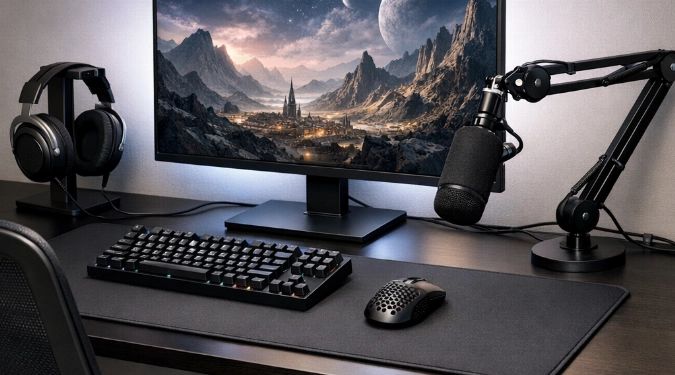
You’ll learn which upgrades change aim, comfort, and consistency. You’ll get a simple order to buy and tune gear without wasting money. This guide also gives exact settings, fit tips, and a quick test plan to prove each change worked.
Start With The Three Bottlenecks
- Input delay: Your mouse, keyboard, controller, and display chain.
- Stability: Chair, desk height, and wrist support.
- Signal and audio cues: Network spikes, footsteps, and directional clarity.
Upgrade to remove one bottleneck at a time. You will feel the difference faster. You will also avoid stacking changes that hide what helped.
Mouse, Pad, And Sens That Translate
A good mouse fit beats extra buttons. Pick shape first, then weight, then clicks. Solid options include Logitech G Pro X Superlight 2, Razer Viper V3 Pro, Zowie EC2-CW, SteelSeries Aerox 5, Glorious Model O 2, and Pulsar X2V2.
Set DPI to 800 or 1600. Keep in-game sensitivity lower to match. Start with 30 to 45 cm per 360 in FPS games. Then adjust in small steps for one week.
Pair the mouse with a pad that matches your aim style. Control pads help stop on targets. Speed pads help tracking. Good picks include SteelSeries QcK, Zowie G-SR-SE, Artisan Zero, Razer Gigantus V2, and Logitech G640.
Keyboard And Controller Upgrades That Matter
For keyboards, prioritize consistent switches and low wobble. Wooting 60HE and 80HE excel for rapid inputs. SteelSeries Apex Pro is a strong adjustable option. For standard mechanical, Keychron Q-series and Ducky One 3 are reliable.
For controller play, reduce dead zones and improve grip. Consider Xbox Elite Series 2, DualSense Edge, and SCUF Instinct Pro. Try Hall effect options from 8BitDo for drift resistance. Use a wired connection when possible.
Display Settings That Reduce Misses
A fast monitor is the biggest feel upgrade after a mouse. Target 144Hz to 240Hz with low motion blur. Look for VRR support and strong response times. Popular lines include ASUS ROG Swift, Alienware AW series, LG UltraGear, BenQ Zowie XL, and MSI Optix.
Set refresh rate in your system display menu. Then cap FPS slightly below max refresh for steadier frame pacing. Turn on a low-latency mode in your GPU panel. Disable heavy post-processing like excessive sharpening.
If you use console modes, enable the monitor’s low input lag preset. Turn off extra picture features. Those features can add delay.
Audio That Helps You Win Fights
Footsteps are mostly mids and upper mids. You want separation, not extra bass. Great closed-back choices include HyperX Cloud Alpha, SteelSeries Arctis Nova 7, and Logitech G Pro X 2. Good open-back options include Sennheiser HD560S and Philips SHP9600.
Add a simple USB mic instead of a “gaming headset mic.” Blue Yeti, HyperX QuadCast, and Elgato Wave:3 are common. Put the mic 6 to 10 inches from your mouth. Aim it slightly off-axis to reduce plosives.
Chair, Desk, And One Comfort Rule
Comfort is performance because it protects consistency. Adjust seat height so elbows sit near 90 degrees at the desk. Keep feet flat or use a footrest. Your mouse arm should glide, not shrug.
Chairs worth trying include Herman Miller Aeron, Steelcase Leap, HON Ignition 2.0, and Secretlab Titan Evo. A $20 lumbar pillow can help, but only after height is correct.
Networking And Power Fixes People Ignore
Use Ethernet if you can. If not, place the router higher and closer. Avoid mesh hops for gaming devices when possible. A basic unmanaged switch from Netgear or TP-Link can stabilize wired runs.
Plug your setup into a surge protector. If you get frequent flickers, consider a UPS like APC Back-UPS. It prevents sudden shutdowns during brief drops.
A Beginner Upgrade Order With Tight Budgets
For gaming setup accessories for beginners, follow this order. Each step is easy to validate.
- Mouse and pad that fit your grip.
- 144Hz monitor if you are below that.
- Headset with clear imaging.
- Chair adjustments, then chair upgrades.
- Keyboard or controller, based on your main game.
This guide fits both gaming gear for better performance and comfort upgrades. For gaming accessories for setup upgrade, focus on the weakest link. For essential gaming equipment and tools, keep a small kit. Include microfiber cloths, cable ties, spare USB-C cables, and a compressed air blower.
For gaming gear for immersive experience, add bias lighting behind the monitor. Use warm-white strips and keep them dim. It reduces eye fatigue in dark rooms.
Quick Test Plan To Prove It Worked
- Record three matches before changing anything.
- Change one item, then play five matches.
- Track K/D, accuracy, and missed inputs.
- Keep the change only if results improve or feel cleaner.
FAQs
What’s The Cheapest Upgrade With A Real Impact?
Proper monitor refresh settings cost $0. Confirm the refresh rate is enabled. Then lower in-game settings to keep FPS stable.
Do I Need A Mouse Bungee Or A Wireless Mouse?
Wireless is simplest if you can charge it reliably. A bungee helps if you use a light cable. It prevents cable drag during quick flicks.
How Do I Stop Wrist Pain During Long Sessions?
Raise the chair or lower the desk to reduce wrist extension. Keep forearms supported. Take short breaks to reset grip tension.
Is A DAC Or Amp Worth It For Gaming?
It helps most with power-hungry headphones. Look for cleaner volume headroom and less hiss. For easy-to-drive headsets, a good USB interface is often enough.
References
- RTINGS, monitor response time and input lag testing methodology.
- Blur Busters, motion clarity and refresh rate explanations.
- NVIDIA and AMD support docs, low-latency and frame pacing settings.
Disclaimer: The information provided in this article is for educational and informational purposes only. It does not constitute professional advice. Readers should conduct their own research and consult with qualified professionals before making any decisions.